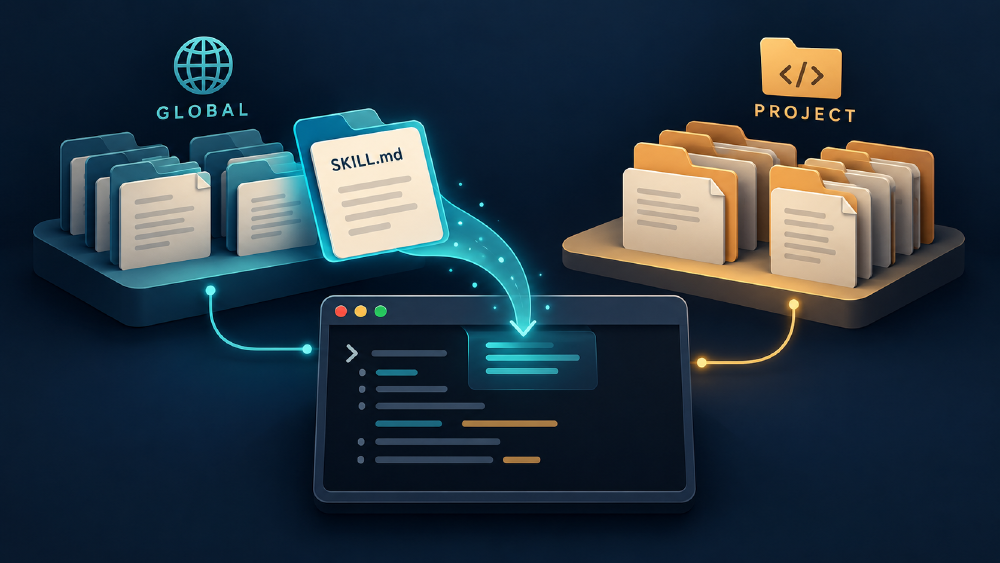
I installed a design skill globally, opened my coding agent inside a project, and asked a simple question: would you use that skill if I never mentioned its name?
Three questions later, I had a confident answer. Then I checked the documentation and found a discrepancy.
Yes, both global and project skills can be discovered automatically and selected from your intent. The supported path, description, and invocation policy determine what is available and how it can be selected. Codex, Gemini CLI, and Claude Code document this pattern.
What interested me was the gap between an agent saying it could use a skill and evidence that it had discovered and loaded it.
The illustrations below reconstruct concepts from my saved conversation. They are not screenshots. The replies are paraphrased; the comparison later in the article comes from product documentation.
Before the reply: what would you expect?
Imagine a design skill installed in your home directory. You start the agent inside a repository and ask it to improve a homepage. Will it find the skill? Will it read the instructions immediately? Must you name it first?
Reveal the distinction I was missing
A skill can be accessible on disk, available in the application's catalog, or selected for the current task. Those are different states. User-scope installation can support automatic discovery through a location the running application recognizes.
Three questions, one investigation
Can you see outside my project?
I began with this question, shortened here and with the project path generalized:
The terminal session started directly in my project directory. How do you have access to skills installed at my user home level?
The agent’s explanation, paraphrased: the current working directory controls relative path resolution. It does not, by itself, confine a process to that directory.
The working directory is a starting location. Permissions and sandbox rules determine access. But file access left another question open: did the skill catalog know the file existed?
Can you find this particular skill?
I asked:
Do you have access to Impeccable skills?
This time, the agent searched the filesystem, located ~/.gemini/skills/impeccable/SKILL.md, and read it.
The agent’s reply, paraphrased: it could use the skill immediately, but the skill had not been included in its initial catalog because that directory was outside the discovery roots used by the running application.
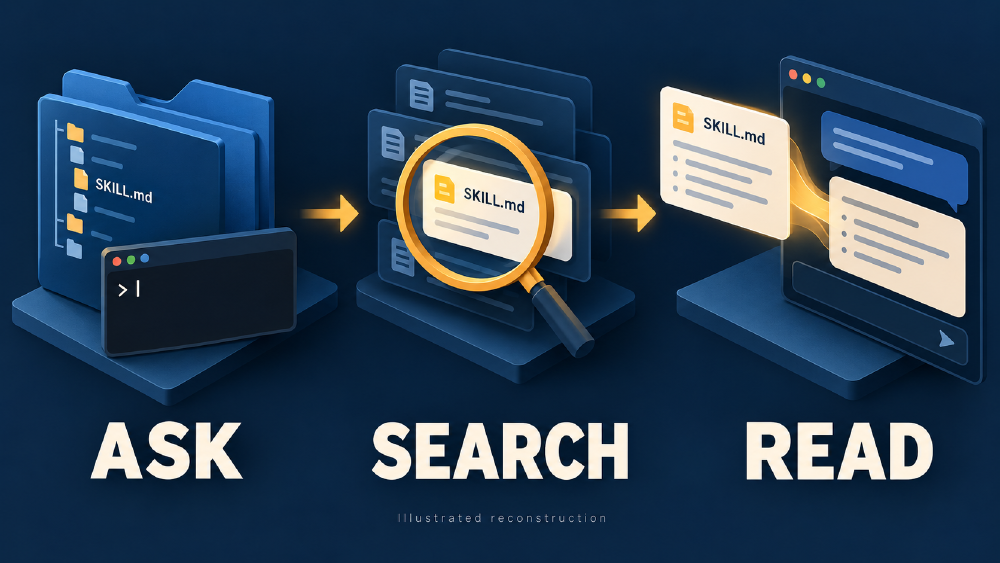
What the saved exchange shows: I named the skill, the agent searched, then it read the instructions. That sequence establishes an on-demand read; it does not establish startup discovery.
Does a successful file read prove automatic discovery?
No. A read can follow a manual search prompted by your question. Inspect the application's skill catalog to check discovery. To investigate automatic selection, use a fresh conversation and describe the work without naming the skill.
Will you use it without its name?
I followed up:
What happens if I ask you to design a website without explicitly mentioning Impeccable? Remember, this skill is installed globally, not inside the project.
The agent’s reply, paraphrased: a fresh session would not automatically select the skill in its current location. Our ongoing conversation could use the instructions because they had just been read.
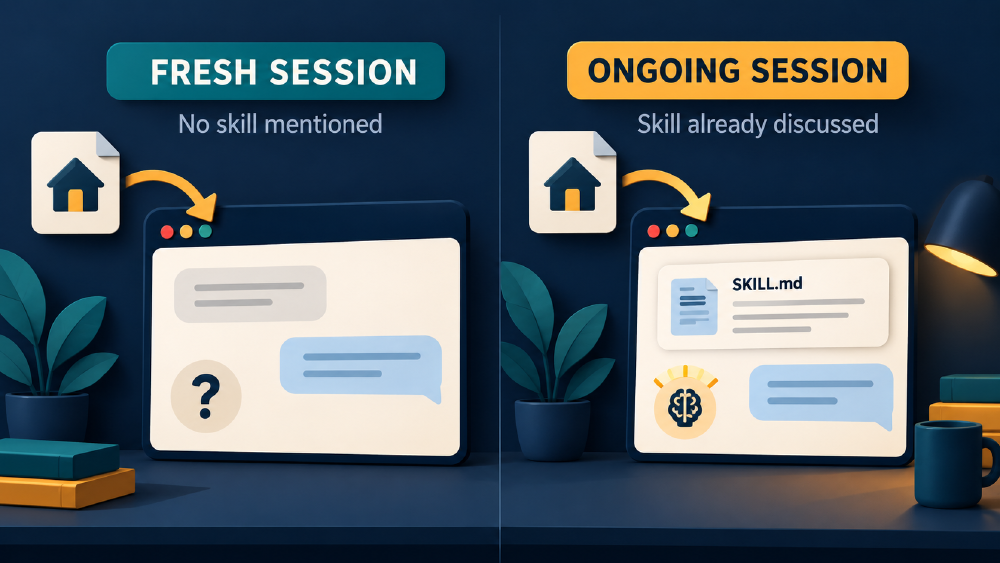
These are different test conditions. Once I have named and discussed the skill, a later request in the same conversation cannot establish unaided selection in a fresh session.
The reply promised future behavior. I still needed to test it.
The clue that changed the investigation
Although I described the discussion as a Gemini CLI exchange, the replies repeatedly referred to Antigravity and read files under an antigravity-cli directory.
That is a reason to be precise about the product. I cannot treat those replies as verified documentation for standard Gemini CLI.
In fact, standard Gemini CLI documents ~/.gemini/skills/ as a user discovery location. It also supports ~/.agents/skills/, plus workspace equivalents. Its documented behavior therefore conflicts with the exchange’s claim that ~/.gemini/skills/ is outside normal discovery. Gemini CLI discovery documentation
The agent also suggested creating ~/.gemini/config/skills.json. I have not verified that configuration for the Antigravity runtime in the exchange, so I would not copy it as a general Gemini CLI setup instruction.
The discrepancy does not establish whether the agent misidentified its runtime, described a particular configuration, or gave an incorrect explanation. It establishes that I cannot carry that answer across products as a universal rule.
The agent’s explanation gave me a hypothesis. Its visible activity and the application’s documentation gave me evidence to check it.
Four checks before I call it skill use
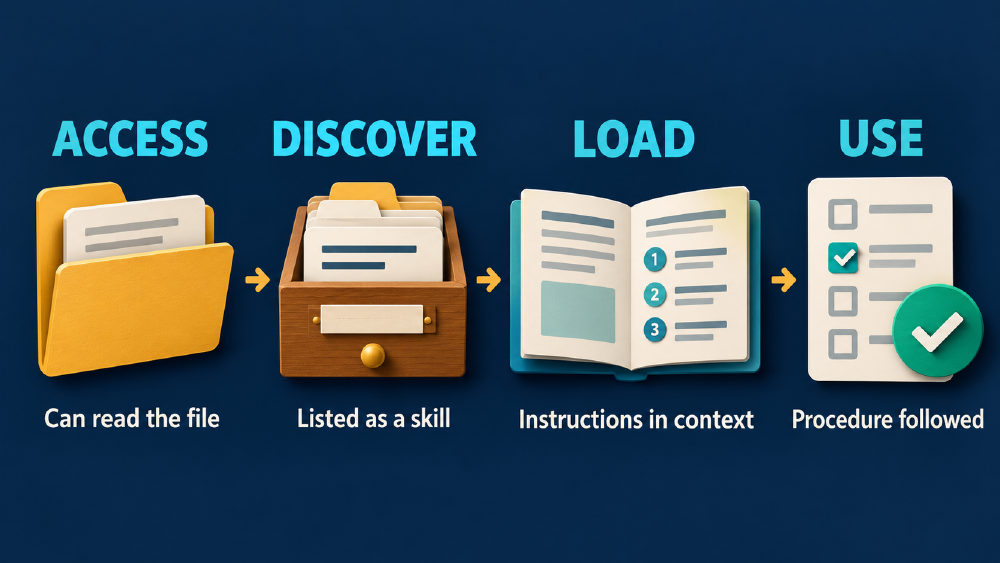
Each stage needs its own evidence. The arrows organize the checks; they do not guarantee that one stage causes the next.
| Question | What I want to establish |
|---|---|
| Can the agent access the file? | Its tools are permitted to read the instructions. |
| Has the agent discovered the skill? | The skill is available through the application’s skill mechanism. |
| Has the agent invoked it? | The instructions have been selected and brought into the task. |
| Has the agent used the procedure? | The work follows the instructions and produces the expected output. |
Reading a playbook does not establish that its procedure was followed.
Codex documents progressive disclosure: it starts with skill metadata and reads the full instructions when selecting a skill. Its description is a signal for implicit selection. Codex skill loading
The description helps the agent choose a playbook; the body explains the procedure. For example:
---
name: frontend-review
description: Review an existing frontend for visual hierarchy, spacing, typography, and usability. Use when asked to audit or polish an interface.
---
That gives a request such as “review this settings page for usability” something specific to match.
How Gemini CLI, Codex, and Claude Code differ
These are documented local CLI behaviors, checked on 3 October 2026. They are not a claim that I ran equivalent tests in all three applications.
| Agent | Project skill directory | User skill directory | Invocation detail |
|---|---|---|---|
| Gemini CLI | .gemini/skills/ or .agents/skills/ | ~/.gemini/skills/ or ~/.agents/skills/ | Matches descriptions and calls activate_skill; its documented flow includes consent before instruction injection. |
| Codex | .agents/skills/ along the working-directory-to-repository-root path | ~/.agents/skills/ | Supports implicit selection and explicit $skill-name invocation. |
| Claude Code | .claude/skills/ | ~/.claude/skills/ | Supports automatic selection and direct /skill-name invocation. |
Sources: Gemini CLI, Codex, and Claude Code.
There are controls on automatic selection. Codex supports allow_implicit_invocation: false in agents/openai.yaml. Claude Code supports disable-model-invocation: true in skill front matter. A skill can therefore be installed in the right place while intentionally requiring explicit invocation. Codex invocation policy, Claude Code invocation controls
Duplicate names are another difference. Gemini CLI gives workspace skills precedence over user skills; Codex says same-named skills are not merged and can both appear in selectors. Claude Code documents its own precedence rules. I would check the selected file rather than assume the project copy always wins. Gemini CLI precedence, Codex discovery, Claude Code name resolution
Where I would install it
| If the workflow belongs to… | I would choose… |
|---|---|
| My work across several projects | User scope |
| This repository and its team | Project scope |
| A specific procedure I want for this task | Explicit invocation, whichever scope holds it |
Scope determines where the workflow belongs. It does not inherently require mentioning the skill in every prompt.
Try the experiment in your own CLI
You can start this investigation in five minutes. Choose a skill with an obvious task match and record the CLI version, installation scope, and skill path. Check whether it is listed separately from whether it is selected.
First, check the catalog
First, inspect availability. Gemini CLI provides /skills list; Codex provides /skills. Claude Code’s documentation also suggests asking which skills are available. Gemini CLI management, Codex invocation, Claude Code troubleshooting
Do the catalog check in a separate conversation from the selection test, so discussing the skill does not supply a hint to that test.
Test A: describe the work without naming the skill
Start a fresh conversation with a matching request:
Review this homepage for typography, spacing, and visual hierarchy.
Give me three concrete improvements and explain why they matter.
Inspect the activity for skill activation or an instruction read. Then check whether the review follows the procedure. A polished answer alone cannot establish skill use.
Test B: request the skill explicitly
Start another fresh conversation using the same page:
Use the frontend-review skill to review this homepage for typography,
spacing, and visual hierarchy. Give me three concrete improvements
and explain why they matter.
Replace frontend-review with the name of your installed skill. Where supported, use the application’s explicit skill selector or invocation syntax.
Test C: give it an unrelated request
In a third fresh conversation:
Explain what this SQL query does.
Would you expect a frontend review skill to activate? If it does, investigate whether its description or other instructions are too broad.
Interpret your results
Missing from the catalog: check the discovery location, enabled state, and metadata before testing selection.
Listed, but selected only in Test B: investigate its description and invocation policy. Repeat Test A; one miss does not establish a universal rule.
Selected in Test A: you have evidence of implicit selection for that prompt and configuration.
Selected in Test C: inspect the trigger scope and the conversation's other instructions.
Repeat the test with the skill at user scope and project scope, keeping the prompt, version, and configuration consistent. Isolate the copies or use distinct names so you can tell which one was selected.
| Test | Skill listed? | Selected path | Instructions loaded? | Procedure followed? |
|---|---|---|---|---|
| A: task only | ||||
| B: explicit request | ||||
| C: unrelated task |
Copy this table into your notes. It turns a vague impression that the agent knows your skills into observations you can compare.
That would give me evidence about automatic selection. “Yes, I can use it” gives me much less.
The question I ask now
My original question was whether I needed to remind the agent about every skill I had installed.
The answer is that supported skill discovery and intent-based selection can handle both user and project skills. Explicit invocation remains useful when I want control over the procedure.
Now I ask a more useful question: what evidence shows that this session discovered, loaded, and used the skill I expected?
My conversation surfaced the distinction. The documentation check exposed the runtime mismatch. A fresh-session experiment is how I would finish testing the behavior.