SERIES: Hugo SEO
- A simple Hugo blog setup from local files to Netlify
- Part 1: How I Fixed Google Search Console Indexing Issues With a Hugo and Netlify Site
- Part 2: Netlify Redirects for Hugo Sites: A Practical Cleanup Guide
- Part 3: How to Audit Stale URLs Before Google Keeps Rediscovering Them
- Part 4: Why Google Search Console Still Shows Old Errors After You Fix Them
Google Search Console can be useful, but it can also be confusing when it keeps showing URLs that no longer represent the current shape of a site.
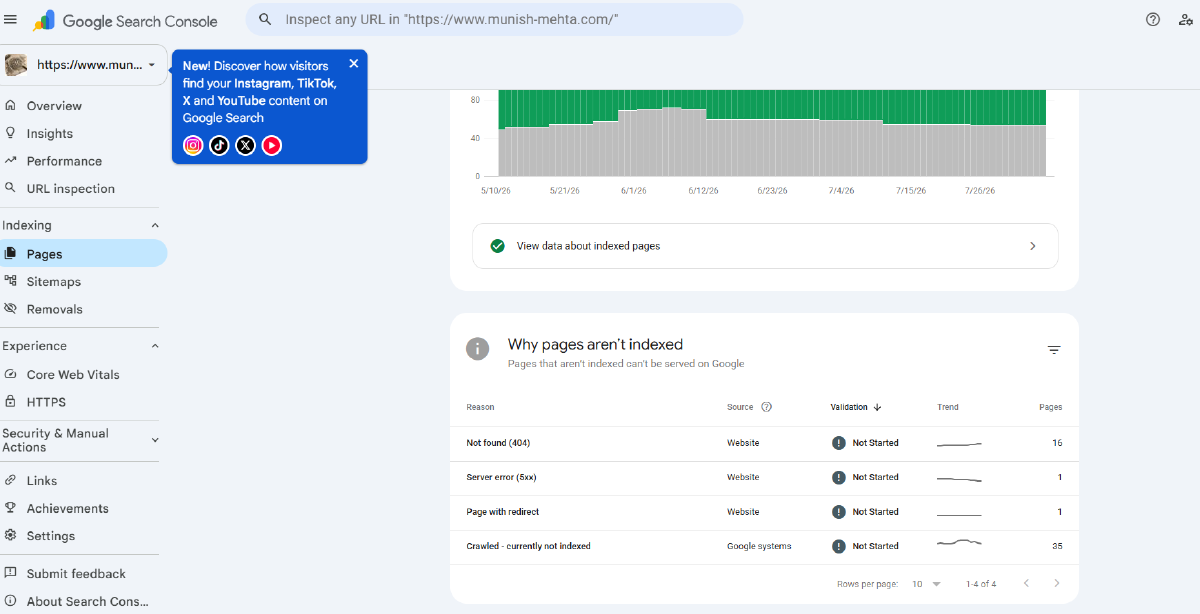
I ran into this on my own Hugo site hosted on Netlify. Search Console was reporting a mix of indexing issues:
Not found (404)Page with redirectCrawled - currently not indexedRedirect errorServer error (5xx)
The tempting reaction is to make every reported URL indexable. That is usually the wrong goal.
The real goal is simpler: make sure the current site is technically clean, the canonical URLs are discoverable, and old URLs either redirect directly to a legitimate replacement or disappear from every current discovery path.
This post documents the cleanup workflow I used.
The Setup
My site is a Hugo static site deployed on Netlify.
The important pieces are:
- Hugo content lives under
content/ - blog posts live under
content/post/ - redirects are managed in
netlify.toml - some static redirects also exist in
static/_redirects - generated output goes to
public/ - the sitemap is generated by Hugo
The post permalink configuration is important:
[permalinks]
    post = "/post/:slug/"
That means the final public URL for a post depends on the resolved Hugo slug. If a source file lives under a nested folder like:
content/post/cyber-security/dark-web.md
that does not automatically mean the public URL is:
/post/cyber-security/dark-web/
In my case, the canonical page was:
/post/inside-the-dark-web/
That distinction explained several of the Search Console warnings.
The Mistake I Wanted To Avoid
I did not want to recreate old URLs just because Google remembered them.
For example, if Google reports:
/post/cyber-security/dark-web/
but the current canonical post is:
/post/inside-the-dark-web/
then the right fix is not to create a duplicate page at the old URL. The right fix is a direct permanent redirect from the old URL to the current canonical URL.
The standard I used was:
old URL -> direct 301 -> current canonical URL -> 200
No redirect chains. No redirecting unrelated pages to the homepage. No editing generated files in public/.
Step 1: Search The Source, Not Just The Browser
I started by searching the source tree for the stale URL slugs.
On Windows, rg is much more convenient than trying to use Linux-style grep examples:
rg -n "dark-web|docker-without-sudo|api-authentication|tag1" `
  "$SITE_ROOT\content" `
  "$SITE_ROOT\layouts" `
  "$SITE_ROOT\static" `
  "$SITE_ROOT\netlify.toml"
This answered three questions:
- Does the article still exist in source?
- Is the old URL being generated by Hugo?
- Is the old URL only a historical path that needs a redirect?
This step matters because Search Console is historical. It may keep reporting URLs that are no longer present anywhere in the current site.
Step 2: Find The Canonical URL Hugo Actually Generates
After checking the source, I built the site locally and inspected the generated output.
hugo --source "$SITE_ROOT" `
  --config "$SITE_ROOT\hugo.toml" `
  --cleanDestinationDir `
  --minify
The --cleanDestinationDir flag was important because old files in public/ can mislead the audit. If an old generated page remains from a previous build, it can look like Hugo is still creating it when it is not.
For each stale URL, I checked whether the final page existed under public/post/.
Example:
Test-Path "$SITE_ROOT\public\post\inside-the-dark-web\index.html"
If the canonical page existed, I added a redirect. If no legitimate replacement existed, I did not invent one.
Step 3: Add Direct Netlify Redirects
Several old paths were valid historical URLs but no longer matched the current canonical Hugo output.
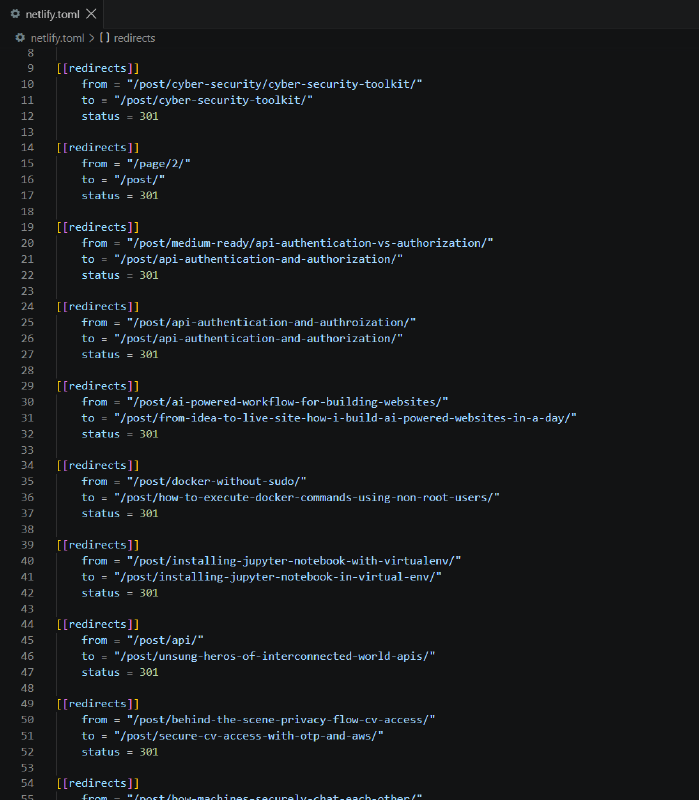
I added direct redirects in netlify.toml.
Example:
[[redirects]]
    from = "/post/cyber-security/dark-web/"
    to = "/post/inside-the-dark-web/"
    status = 301
Other redirects followed the same pattern:
[[redirects]]
    from = "/post/docker-without-sudo/"
    to = "/post/how-to-execute-docker-commands-using-non-root-users/"
    status = 301

[[redirects]]
    from = "/post/installing-jupyter-notebook-with-virtualenv/"
    to = "/post/installing-jupyter-notebook-in-virtual-env/"
    status = 301

[[redirects]]
    from = "/post/cyber-security/online-scams/"
    to = "/post/dont-click-that-link/"
    status = 301
This preserves the value of old discovered URLs without keeping duplicate pages alive.
Step 4: Fix A Bad API Slug
One issue was not just a stale URL. It was a spelling problem.
The article title had:
Authroization
The correct spelling is:
Authorization
I fixed the title and locked the canonical slug explicitly:
title: "API Authentication and Authorization"
slug: api-authentication-and-authorization
I also corrected old redirect targets that pointed to the misspelled URL.
The goal was to make this the only current canonical page:
/post/api-authentication-and-authorization/
Any older path should go directly there.
Step 5: Remove Accidental Taxonomy Noise
Search Console can surface taxonomy URLs too. In my case, I found placeholder tags in front matter:
tags: ["tag1", "tag2"]
That was test data. It had no value as a tag page, so I replaced it with meaningful tags.
For the SSH post:
tags: ["SSH", "Security", "DevOps"]
For the AI workflow draft:
tags: ["AI", "ChatGPT", "Windsurf"]
The principle is simple: do not preserve meaningless taxonomy pages just because Google discovered them. Fix the source that generates them.
Step 6: Give Utility Pages A Real Home
I also had small utility and experiment pages under /timepass/.
These were not important SEO pages, but I did not want them to be orphaned. The fix was not to delete them or add noindex. The fix was to give them a quiet parent page:
/timepass/
That hub links to pages like:
/timepass/simple-clicker.html/timepass/word-guess.html/timepass/guess-game.html/timepass/tic-tac-toe.html/timepass/simon.html
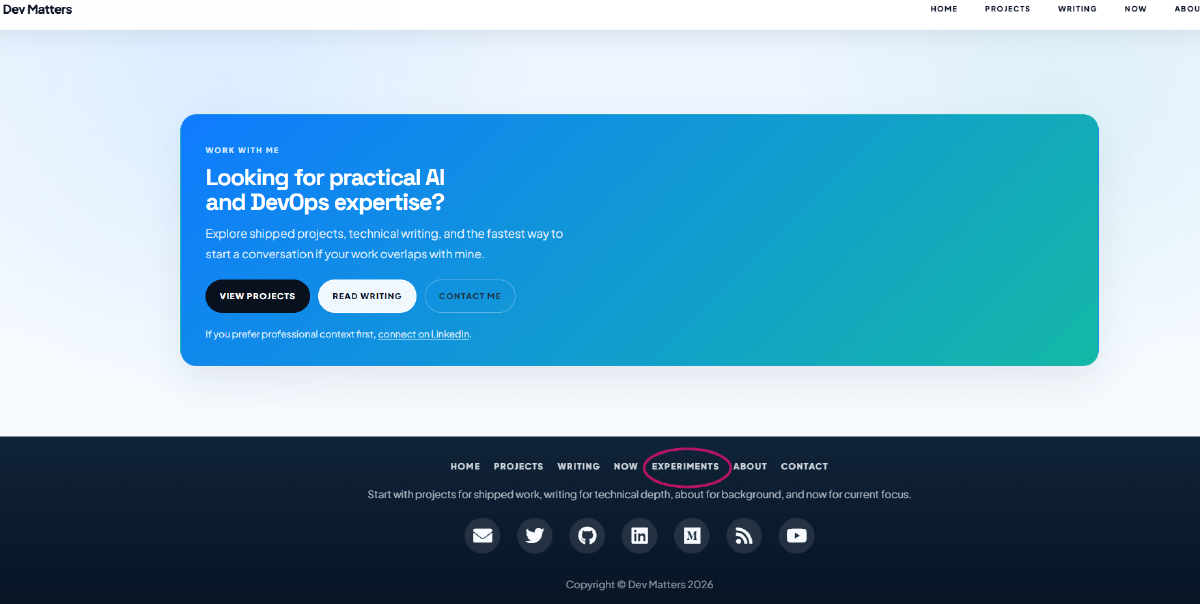
I also added a low-priority footer link called Experiments.
That gives these pages a legitimate internal path without putting them in the primary navigation.
Step 7: Check The Sitemap
After rebuilding, I searched the generated sitemap for stale URLs.
rg -n "cyber-security/dark-web|docker-without-sudo|tag1|api-authentication-and-authroization" `
  "$SITE_ROOT\public\sitemap.xml"
The expected result was no match for stale URLs.
Then I verified that the canonical URLs existed:
Test-Path "$SITE_ROOT\public\post\inside-the-dark-web\index.html"
Test-Path "$SITE_ROOT\public\post\api-authentication-and-authorization\index.html"
Test-Path "$SITE_ROOT\public\timepass\index.html"
This is the difference that matters:
- stale URLs should not be in the sitemap
- redirect-source URLs should not be in the sitemap
- current canonical pages should be in the sitemap
- useful utility hubs can be in the sitemap if they are intentionally public
Step 8: Validate With Google Search Console
After deployment, I would not request indexing for old redirect-source URLs.
For an old URL like:
/post/cyber-security/dark-web/
the expected result is a redirect. That URL itself is not meant to be indexed.
The right Search Console workflow is:
- Inspect the old URL.
- Use
Test Live URL. - Confirm it redirects instead of returning
404. - Inspect the final canonical URL.
- Use
Test Live URL. - Request indexing only for the final canonical URL if it is important.
Search Console reports can lag behind the live site. The live URL test is the immediate signal. The Pages report may continue showing older counts for a while.
My Cleanup Checklist
This is the checklist I will reuse next time.
1. Export or list the affected GSC URLs.
2. Search source for each stale slug.
3. Check front matter: slug, url, aliases, tags, categories.
4. Check internal links in content, layouts, and static files.
5. Build Hugo with --cleanDestinationDir.
6. Check generated canonical pages under public/.
7. Search public/sitemap.xml for stale URLs.
8. Add direct 301 redirects only where a real replacement exists.
9. Remove accidental taxonomy or test metadata.
10. Do not edit public/ manually.
11. Deploy.
12. Test old URLs and canonical URLs in Search Console.
13. Request indexing only for canonical final pages.
What I Would Not Do
There are a few shortcuts I deliberately avoided:
- I did not recreate stale pages just to satisfy Search Console.
- I did not redirect unrelated deleted pages to the homepage.
- I did not add
force = trueto redirects without a specific need. - I did not manually edit
public/sitemap.xml. - I did not request indexing for old redirect-source URLs.
- I did not delete useful experiment pages just because they were low-priority.
SEO cleanup is not about making every URL Google remembers become indexable. It is about making the current site coherent.
Final Takeaway
The biggest lesson from this cleanup was that Search Console is not always showing the current site. Sometimes it is showing Google’s memory of the site.
That means the job is not to chase every old URL blindly.
The job is to make sure the current site sends clear signals:
- current pages return
200 - old moved pages return direct
301 - deleted pages are not regenerated or internally linked
- the sitemap contains canonical URLs only
- tags and taxonomy pages are intentional
- useful side pages have a legitimate internal path
Once those pieces are clean, Search Console can catch up in its own time.