SERIES: SSH
- Part : Recap, Further Resources, and Closing Thoughts
- Part : SSH Alternatives and Enhancements
- Part : Automating Tasks With Automation
- Part : Troubleshooting Common SSH Issues
- Part : Advanced SSH Techniques: Tunnels, Jump Hosts, SSHFS, and Multiplexing
- Part : SSH Best Practices and Security Hardening
- Part : SSH Key Based Authentication: Setup and Best Practices
- Part : Setting Up and Using SSH
- Part : What Is SSH? A Practical Introduction to Secure Shell
- SSH Series
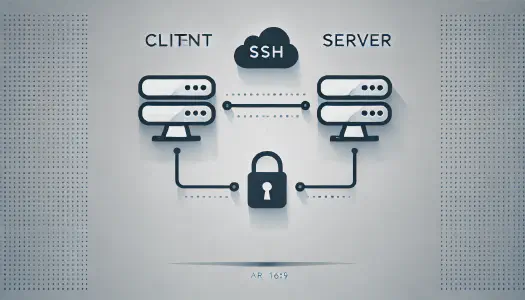
Quick answer: SSH stands for Secure Shell. It is a network protocol that lets you securely log in to remote machines, run commands, transfer files, and create encrypted tunnels. SSH replaced insecure tools like Telnet because it encrypts credentials, commands, and session data.
If you manage Linux servers, deploy applications, use cloud instances, or connect to Git hosts, SSH is one of the first protocols worth understanding properly.
This post is the starting point for my SSH series. The goal is to explain what SSH is, why it matters, and how the pieces fit together before moving into setup, SSH keys, hardening, and advanced workflows.
Why SSH Replaced Telnet
Before SSH became the default, Telnet was widely used for remote command-line access.
Telnet was simple, but it had one major problem: it sent data in plain text. Usernames, passwords, and commands could be read by anyone able to inspect the network traffic.
That was acceptable in smaller trusted networks. It became dangerous once systems were connected across larger networks and the public internet.
SSH fixed the core problem by encrypting the session.
With SSH:
- login credentials are not exposed in plain text
- commands are sent through an encrypted channel
- the server identity can be verified
- stronger authentication methods such as public keys can be used
- file transfer and tunnelling can use the same secure foundation
What SSH Is Used For
SSH is most commonly used for remote server administration, but it is broader than that.
Common SSH uses include:
- logging in to a remote Linux server
- running commands on a cloud machine
- copying files with
scporsftp - authenticating to Git providers
- forwarding ports securely
- connecting through bastion or jump hosts
- automating operational tasks
That is why SSH shows up across DevOps, cloud infrastructure, cybersecurity, and everyday development workflows.
The Basic SSH Model
SSH uses a client-server model.
The client is the machine you are using locally. The server is the remote machine running an SSH daemon, usually sshd.
The basic command looks like this:
ssh user@server-ip
Behind that simple command, SSH does several things:
- Connects to the SSH server, usually on port
22. - Verifies the server identity.
- Negotiates encryption.
- Authenticates the user.
- Opens an encrypted session.
Once the session is established, you can work on the remote machine as if you were sitting at its terminal.
SSH Concepts Worth Knowing
There are a few terms that make SSH easier to understand.
SSH client The program you run locally, such as OpenSSH.
SSH server
The remote service accepting connections, usually sshd.
Host key The key that identifies the server. This helps protect against connecting to an impostor server.
User authentication The method used to prove who you are. This may be a password, but SSH keys are usually better.
Session encryption The encrypted channel that protects commands and output after the connection is established.
Passwords vs SSH Keys
SSH can support password authentication, but key-based authentication is the more practical standard for serious use.
With password login, the server checks a secret you type.
With key-based authentication, your machine proves it has the private key that matches a public key already trusted by the server.
That is why the next important article in this series is SSH Key Based Authentication.
Where SSH Fits in the Series
This introduction gives the foundation.
The next steps are:
- Setting Up and Using SSH
- SSH Key Based Authentication
- SSH Best Practices and Security Hardening
- Advanced SSH Techniques
If you are new to SSH, start here and then move through the series in order.
Final Takeaway
SSH is the secure default for remote access because it solves the biggest weakness of older tools like Telnet: unencrypted communication.
Once you understand the client-server model, host verification, encryption, and authentication, the rest of SSH becomes much easier to learn.
From there, SSH keys, hardening, port forwarding, jump hosts, and automation are all extensions of the same core idea: secure communication with remote machines.