· · ·
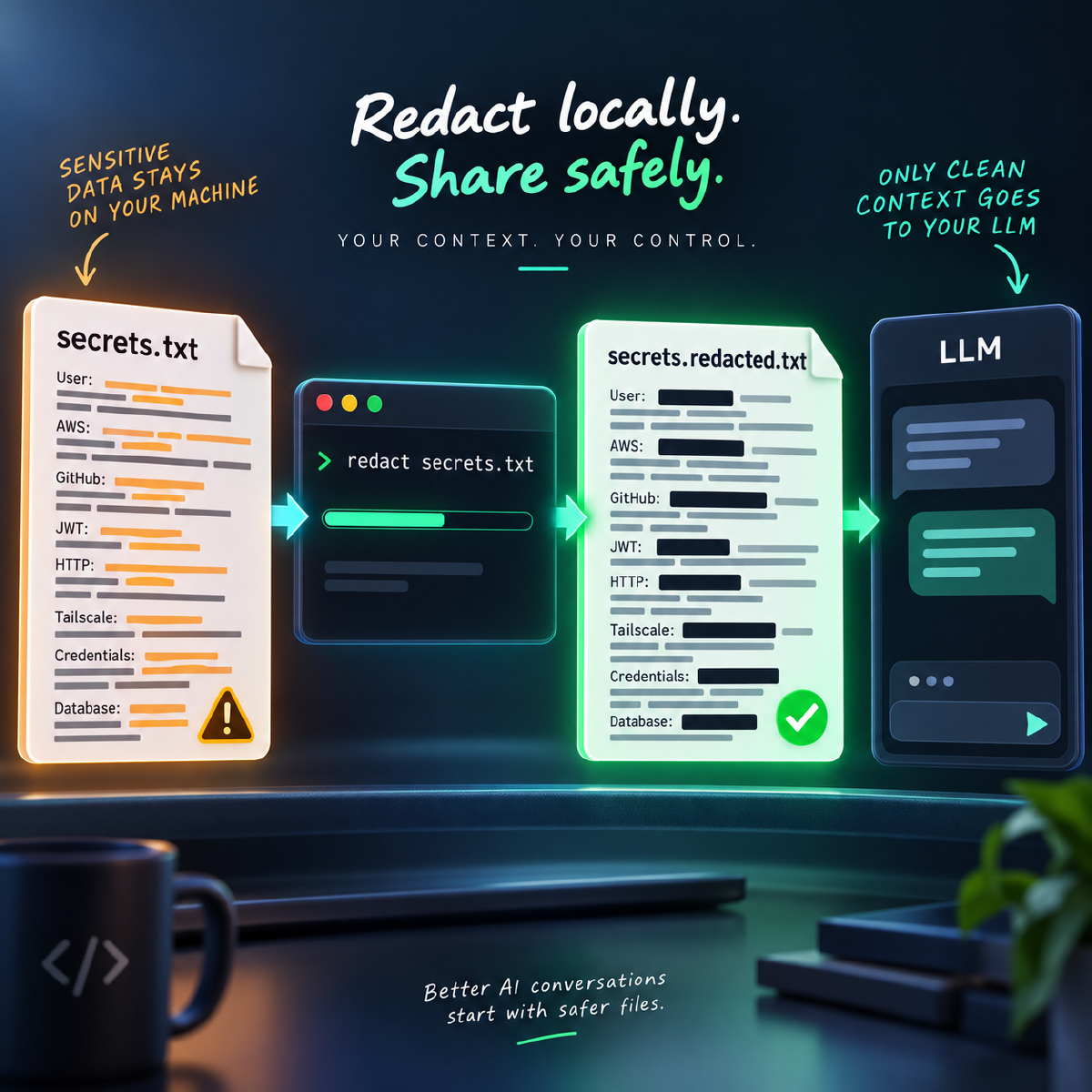
In the previous article, I wrote about building a local tool for redacting sensitive and PII data before sharing logs, screenshots, and configuration snippets with AI tools.
That first version solved the immediate problem: run a local command, create a safer copy, review it, and then share the redacted version with an AI assistant, teammate, support ticket, or documentation page.
But it still had friction.
The workflow was mostly shaped around my local Windows terminal setup. It worked, but it still felt like a personal utility rather than something another developer could install and start using quickly.
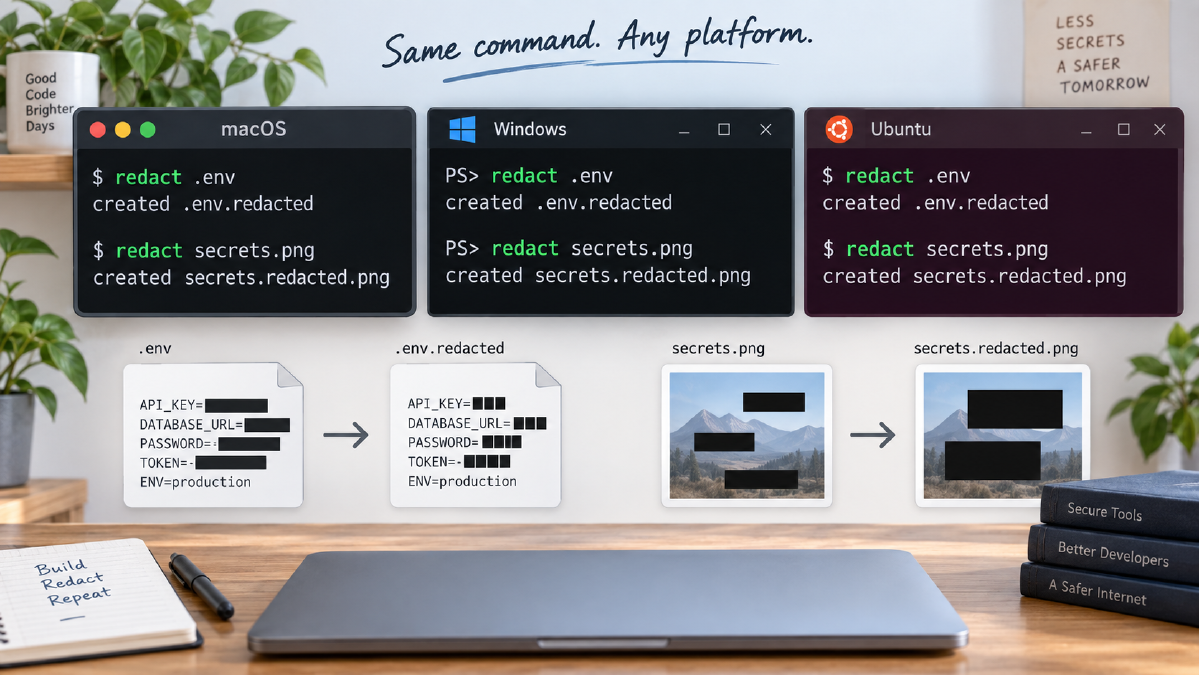
I wanted local-redactor to be easier to use across the three operating systems I regularly work with: Windows, macOS, and Linux.
That need is not theoretical for me. I use macOS for office work, Windows for AI-related experiments and local tooling, and Ubuntu servers for production tools and client-facing applications. If redaction is going to become a real habit, I need the same workflow in all of those places.
So the next step was obvious: turn local-redactor from a local script into a proper cross-platform Python package.
The everyday interface is still deliberately small:
redact application.log
redact screenshot.png
The important change is everything around that command: installation, packaging, tests, CI, releases, and operating-system support.
The Short Version
local-redactor is now published on PyPI and installs a real redact command.
| Before | Now |
|---|---|
| Windows-focused local script | Cross-platform Python package |
| Manual wrapper command | Real console entry point |
| Clone and run from project folder | Install from PyPI |
| Personal workflow utility | Versioned package others can install |
| Local confidence only | CI across Windows, macOS, and Linux |
| Manual release work | GitHub Actions and PyPI trusted publishing |
For daily use, the install path is now:
pipx install local-redactor
pipx runpip local-redactor -- python -m spacy download en_core_web_lg
redact application.log
For image redaction, Tesseract OCR is still required as a system dependency. Once it is installed, the same redact command works for screenshots too:
redact screenshot.png
What Changed
The project now behaves like a normal Python CLI package.
It can be installed with pip:
pip install local-redactor
Or with pipx, which is better for everyday command-line tools because it keeps the app isolated while exposing the command on your terminal path:
pipx install local-redactor
That installation creates the command directly:
redact
That means I no longer need a hand-written Windows .cmd wrapper just to run the tool from anywhere.
The project now works across Windows, macOS, and Linux. It supports both text and image redaction. DevOps secret recognizers are built in. Tests cover recognizers, text filtering, image handling, and Tesseract resolution.
There is also a CI pipeline that runs across all three major operating systems. Releases are automated through GitHub Actions and PyPI trusted publishing. Release publishing is gated by the same reusable test workflow used during normal CI.
That may sound like plumbing, but it changes the nature of the project.
It is no longer just a script that works on my machine. It is installable, testable, releasable, and easier for another developer to evaluate.
Why This Matters
The point of this project is to make safer sharing easier.
If a privacy tool is painful to install or awkward to run, people will eventually skip it. The careful path needs to be easy enough to become the normal path.
This version reduces the setup cost for the people most likely to need it:
- Easier installation
- A consistent
redactcommand - Cross-platform support
- A safer sharing workflow before AI prompts, support tickets, documentation, and GitHub issues
- More confidence because build, test, and release steps are repeatable
- Better maintainability through packaging, CI, tests, and automated releases
That is the user experience I wanted from the beginning:
redact file.log
Not:
activate a virtual environment
remember the project folder
call a Python script through a wrapper
hope the local setup still works
· · ·
Quick Start
The project still supports building from source, and the GitHub repository includes those instructions.
But for someone who just wants to use the CLI, the PyPI package makes the path shorter.
1. Install the command
pipx install local-redactor
2. Install the spaCy model
pipx runpip local-redactor -- python -m spacy download en_core_web_lg
The model needs to be installed into the same isolated pipx environment because pipx gives each CLI app its own environment.
3. Redact a file
redact application.log
That creates a redacted copy beside the original file.
4. Redact a screenshot
redact screenshot.png
For image redaction, Tesseract OCR is still required as a system dependency. That part cannot be installed purely through pip because Tesseract is a native OCR tool.
| Operating system | Tesseract install command |
|---|---|
| Windows | winget install -e --id tesseract-ocr.tesseract |
| macOS | brew install tesseract |
| Ubuntu or Debian | sudo apt install -y tesseract-ocr |
Once those dependencies are in place, the same workflow works across operating systems.
· · ·
How It Works Internally
There are two redaction paths inside the tool.
Text redaction
For text files, local-redactor uses Microsoft Presidio for PII detection. That helps detect common sensitive values such as names, email addresses, and phone numbers.
Developer files also contain sensitive values that do not look like traditional PII. Logs and configuration files may include API keys, bearer tokens, GitHub tokens, JWTs, password assignments, private key blocks, database connection strings, and cloud credentials.
So the project includes custom DevOps recognizers for these kinds of values.
application.log
        |
        v
Presidio + custom DevOps recognizers
        |
        v
application.redacted.log
Image redaction
For screenshots, the tool uses Tesseract OCR to read visible text from the image. The detected text is passed through the same analysis pipeline, and sensitive regions are covered with opaque redaction boxes.
That detail matters. The generated image replaces sensitive pixels instead of merely blurring them.
screenshot.png
        |
        v
Tesseract OCR
        |
        v
Presidio + custom DevOps recognizers
        |
        v
screenshot.redacted.png
Why Packaging Changed the Project
Packaging changed the project because it changed the audience.
The first version mainly solved my own workflow problem. The packaged version makes the same workflow easier for other developers to use.
A proper Python package can define its dependencies, expose a console command, publish versioned releases, and be installed through standard tooling.
The move to pyproject.toml, PyPI, and a proper redact entry point makes the tool easier to distribute and easier to maintain.
The CI and release work matters too.
The project now has automated tests across Windows, macOS, and Linux. The release workflow builds the distribution, checks package metadata, publishes to PyPI using trusted publishing, and creates a GitHub Release.
CI and release use the same reusable test workflow. The checks used during normal development and the checks used before publishing do not drift apart.
That gives me more confidence before releasing a new version.
The Workflow I Want
The whole workflow is intentionally boring:
raw local file
        |
        v
redact <file>
        |
        v
redacted output
        |
        v
manual review
        |
        v
share with AI agent, teammate, support ticket, or documentation
The review step is still important.
Automated redaction is not a security guarantee.
Detection tools can miss values. OCR can misread screenshots. A token format that is obvious to a human may not match an existing recognizer.
But a repeatable local first pass is much better than relying only on memory and manual cleanup.
Limitations and Next Steps
There is still more to do.
Future improvements I want to explore include:
- Batch redaction
- Structured JSON and YAML-aware redaction
- Configurable entity selection
- Confidence thresholds
- Broader cloud token detection
- More complete GitLab, Azure, and GCP secret recognition
- Better Kubernetes Secret handling
- Dry-run mode
The structured-file part is especially important. JSON, YAML, XML, .env, and .ini files are currently processed as text. That works for many common cases, but the tool does not yet parse those formats, redact values, and reserialize them as structured data.
That is fine for a review-before-sharing workflow, but it is not the same as producing guaranteed-valid machine-readable configuration.
Closing Thought
This article is not just a changelog.
It is a practical lesson from turning a personal utility into a reusable developer tool.
Privacy tooling only works when the careful workflow is easy enough to repeat.
That is what this project is trying to do: make it easy to run one local command before sensitive logs, screenshots, and configuration snippets leave your machine.