· · ·
AI agents are now part of my normal engineering workflow. I paste logs into them, ask them to inspect config snippets, share screenshots, debug YAML, review JSON payloads, and help me reason through messy production behaviour.
That workflow is useful because AI agents get better when they can see the real shape of the problem. But the best debugging context often carries details that should not leave the machine unchanged.
Application logs can contain names, email addresses, phone numbers, session IDs, bearer tokens, database connection strings, cloud keys, internal URLs, and environment-specific values. Screenshots can expose the same things visually. Even when I trust the tool I am using, I do not want to casually paste raw personal data or secrets into a prompt when a redacted version would work just as well.
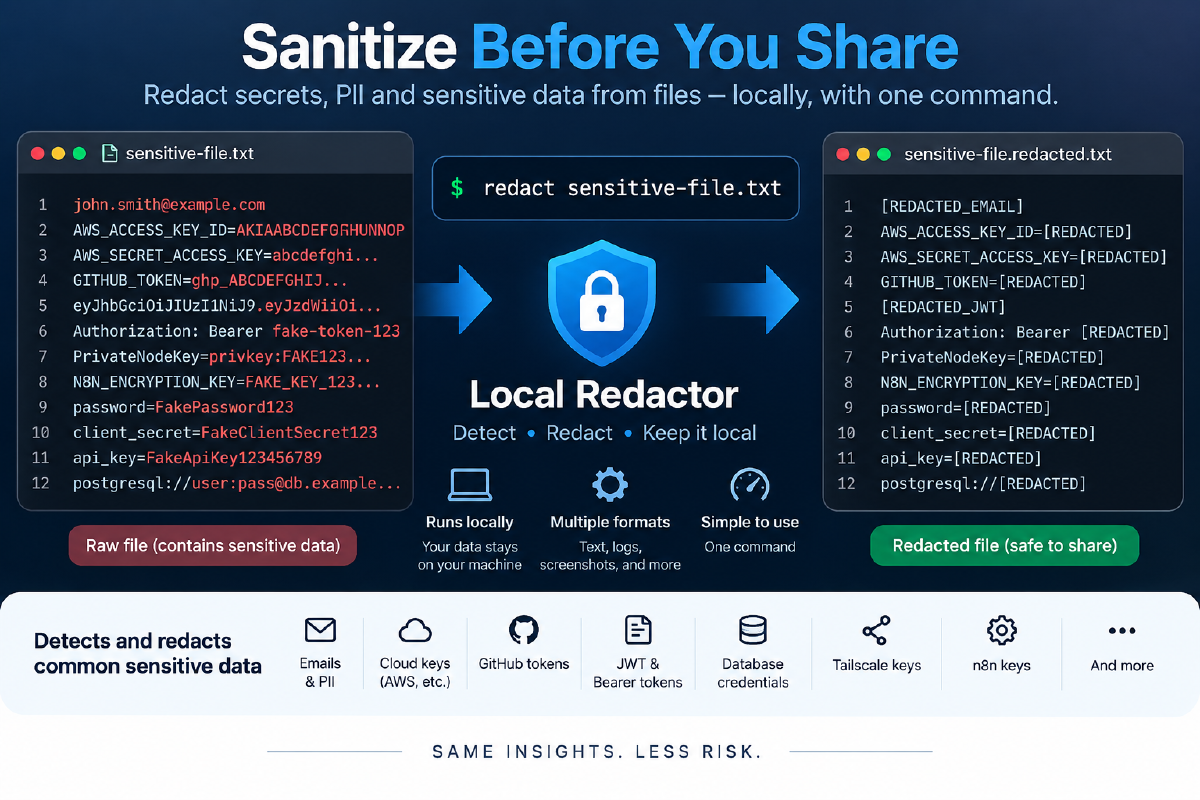
So I built a small local redaction tool called local-redactor.
The source is available on GitHub at github.com/mumehta/local-redact. I am making it available for anyone who wants a practical local redaction step in their own AI or developer workflow. Use it, adapt it, and improve it for the kinds of files and screenshots you work with every day.
The everyday command is intentionally simple:
redact <input-file>
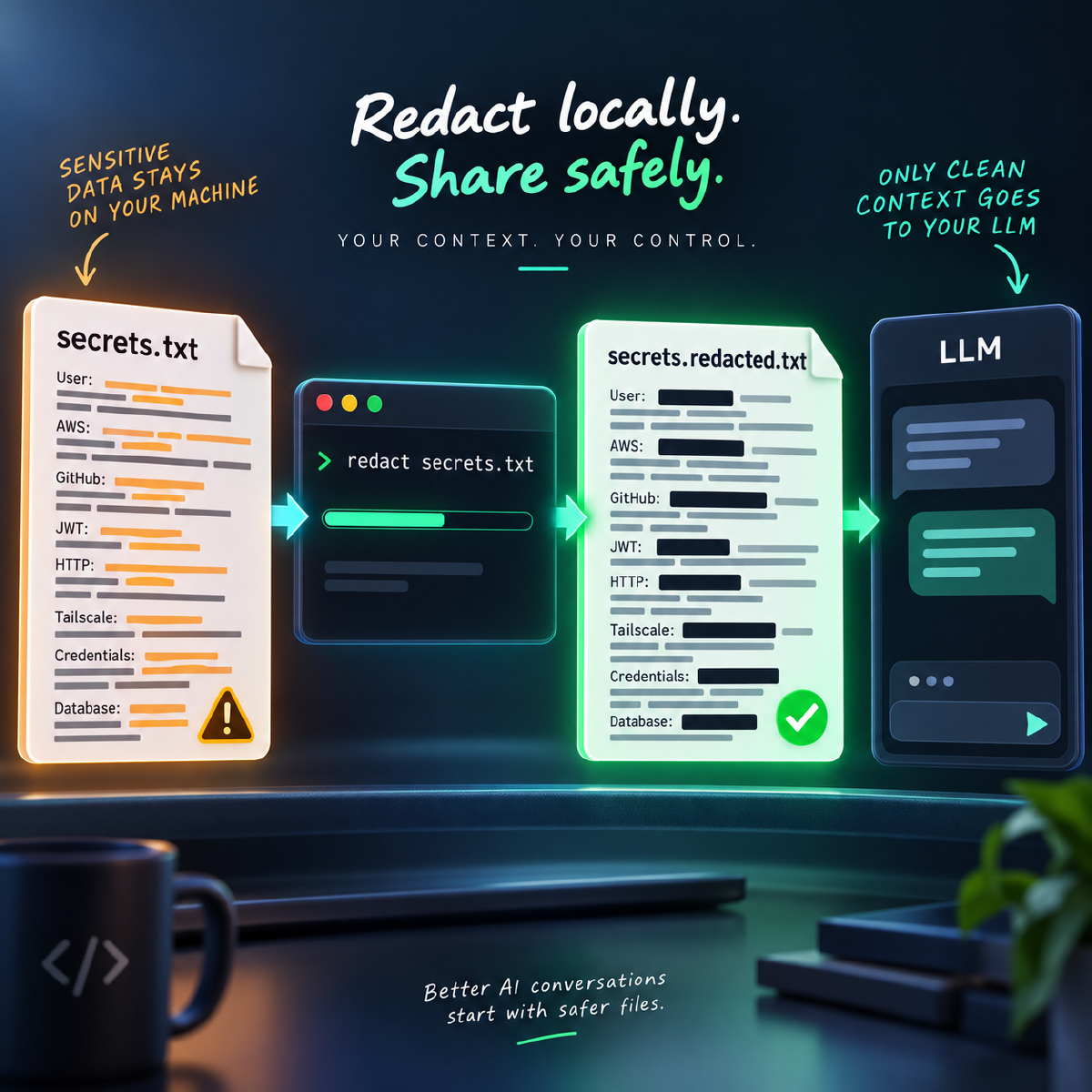
Before I share a file or screenshot with an AI assistant, teammate, issue tracker, or documentation page, I run it through a local redaction step and review the safer copy.
· · ·
The Problem I Wanted to Solve
Most of the time, I am not trying to publish sensitive information. I just want help.
The question might be as ordinary as:
Can you check this application log and tell me why the job is failing?
Or:
Here is a screenshot of my local workflow configuration. What am I missing?
Those are normal AI-assisted development questions. The problem is that the input may include values that do not belong in a chat window:
- Personal information such as names, email addresses, and phone numbers
- Password-style assignments such as
password=... - API tokens and bearer tokens
- AWS-shaped access keys and secret keys
- GitHub tokens
- JWTs
- Private key blocks
- n8n encryption keys
- Database connection strings
Manual cleanup is slow, easy to forget, and easy to do badly. A local command gives me a repeatable first pass. The original file stays on my machine, the redacted copy is generated beside it, and I can inspect the result before sharing.
This is not a replacement for security judgement. It is a practical guardrail for everyday work.
What local-redactor Does
local-redactor is a Python command-line tool built on Microsoft Presidio. It supports text files and screenshots.
For text files, it uses Presidio’s standard PII detection plus custom recognisers for DevOps-style secrets. That combination matters because standard PII detection is useful for names, emails, and phone numbers, but engineering files often contain secrets that look nothing like normal personal data.
For screenshots, it uses Tesseract OCR to read visible text from the image, then passes that detected text through the same analysis pipeline. Sensitive regions are covered with opaque redaction boxes so the generated image replaces the pixels instead of merely blurring them.
The text-style inputs I commonly use it with are:
.txt
.log
.json
.yaml
.yml
.env
.conf
.config
.ini
.xml
.csv
.md
The screenshot inputs are:
.png
.jpg
.jpeg
Install It on Windows
I keep the tool in its own Python virtual environment. That keeps Presidio, spaCy, OCR libraries, and related dependencies isolated from the rest of my machine.
Clone the project:
cd $HOME\tools
git clone https://github.com/mumehta/local-redact.git local-redactor
cd local-redactor
Create and activate a virtual environment:
python -m venv .venv
.\.venv\Scripts\Activate.ps1
Upgrade pip and install the Python dependencies:
python -m pip install --upgrade pip
python -m pip install -r requirements.txt
Install the spaCy English model used by Presidio:
python -m spacy download en_core_web_lg
python -m spacy validate
For screenshot redaction, Tesseract OCR must also be installed as a native Windows dependency. It is not installed by pip.
One option is:
winget install -e --id UB-Mannheim.TesseractOCR
Then verify it:
tesseract --version
python -c "import pytesseract; print(pytesseract.get_tesseract_version())"
At this point, the tool can be run from the project directory:
python .\redact.py .\application.log
Make redact Available Everywhere
I did not want to activate the virtual environment every time I needed to clean up a file. The smoother workflow is to make redact available from any PowerShell, Command Prompt, Windows Terminal, or IDE terminal.
Create a user bin directory:
New-Item -ItemType Directory -Force "$HOME\bin"
Create this wrapper file:
%USERPROFILE%\bin\redact.cmd
Use this content:
@echo off
"%USERPROFILE%\tools\local-redactor\.venv\Scripts\python.exe" "%USERPROFILE%\tools\local-redactor\redact.py" %*
The wrapper deliberately calls Python from the project’s .venv, so the environment stays isolated but I do not need to activate it manually.
Add the user bin directory to the Windows user PATH:
$bin = "$HOME\bin"
$currentPath = [Environment]::GetEnvironmentVariable("Path", "User")

if (($currentPath -split ";") -notcontains $bin) {
    [Environment]::SetEnvironmentVariable(
        "Path",
        "$currentPath;$bin",
        "User"
    )
}
Close and reopen the terminal, then verify:
Get-Command redact
redact --help
Now the command works from anywhere:
redact application.log
redact config.yaml
redact .env
redact screenshot.png
My Daily Workflow
The workflow is intentionally boring:
redact application.log
That creates:
application.redacted.log
The original file is left unchanged.
For screenshots:
redact screenshot.png
That creates:
screenshot.redacted.png
If I want to choose the output path:
redact application.log -o sanitized.log
If I want to see what the text analyzer detected:
redact application.log --show-detections
If I intentionally want to overwrite an existing generated file:
redact application.log --force
The useful habit is:
raw local file
        |
        v
redact <file>
        |
        v
redacted output
        |
        v
manual review
        |
        v
share with AI agent or teammate
That review step matters. I still want a human checkpoint before anything leaves my machine.
Text Redaction Example
Here is a small synthetic input file:
Name: Alex Rivera
Email: alex.rivera@example.com
Phone: +1 202-555-0147
password=ExamplePassword123!
After running:
redact user-pii.txt
The redacted version becomes:
Name: <PERSON>
Email: <EMAIL_ADDRESS>
Phone: <PHONE_NUMBER>
password=<PASSWORD>
The values above are dummy examples. They are deliberately shaped like real data so the redaction pipeline has something meaningful to detect.
Screenshot Redaction Example
The same idea works for screenshots. If an image contains visible text such as an email address, password assignment, token, or phone number, the image pipeline uses OCR to locate the text and then covers sensitive regions.
redact devops-secrets.png
Output:
devops-secrets.redacted.png
The important detail is that image redaction is not just cosmetic blur. The tool writes opaque boxes over the detected regions, so the sensitive pixels are replaced in the generated output image.
That makes it useful for the kind of AI workflow where I want to ask a question about a screen without sharing every visible identifier on that screen.
Where This Helps
I use this tool whenever I need to share local context but do not want raw sensitive values to travel with it.
Common use cases include:
- Sanitising application logs before pasting them into an AI chat
- Redacting
.env,.ini,.yaml, or.jsonexamples before asking for help - Cleaning screenshots before sharing UI or configuration problems
- Preparing safer examples for documentation and blog posts
- Checking whether obvious DevOps secrets are present in a sample file
It is especially useful in AI workflows because the redacted file usually preserves enough structure for debugging. An assistant does not need the real email address, password, AWS-looking key, bearer token, or connection string to reason about the failure.
Limitations
Automated redaction is not a security guarantee.
Detection tools can miss things. They can also redact too much or choose imperfect boundaries. OCR can misread screenshots. A token format that is obvious to a human may not match a recogniser yet. A screenshot with tiny text, unusual fonts, low contrast, or overlapping UI can reduce accuracy.
There is also a structured-data limitation in the current version: JSON, YAML, XML, .env, and similar files are processed as text. That means the redactor may replace sensitive values successfully, but it does not guarantee the output remains valid JSON, YAML, or XML in every case.
The future version should ideally parse JSON as JSON, redact values while preserving syntax, and then serialise it back as valid JSON. The same idea applies to YAML, XML, .env, .properties, TOML, and other structured formats.
Today, I treat structured-file output as something to review before reusing as machine-readable input.
The current version also processes one file at a time. Batch directory redaction and deeper format-aware parsing are good next steps.
My Rule of Thumb
I use redact as a local privacy checkpoint before sending context outward.
The goal is not to make sharing careless. The goal is to make the careful path easy enough that I actually use it.
That small habit reduces accidental exposure without slowing the work down much. It keeps the useful part of AI-assisted debugging while removing a lot of the data the AI agent never needed in the first place.